Bricks scroll animations are easy to do badly. The usual result is a page where everything slides in from somewhere, each element on its own timer, and reading it feels like waiting. Done with restraint they do something useful: they signal that a new section has begun, and they draw the eye to the one thing that matters on each screen.
This guide covers how to add entrance, hover, click and scroll-linked animations to any Bricks element with the Djia Animate module — configured in the element controls panel, with no JavaScript files and no custom CSS — and, just as importantly, when not to.
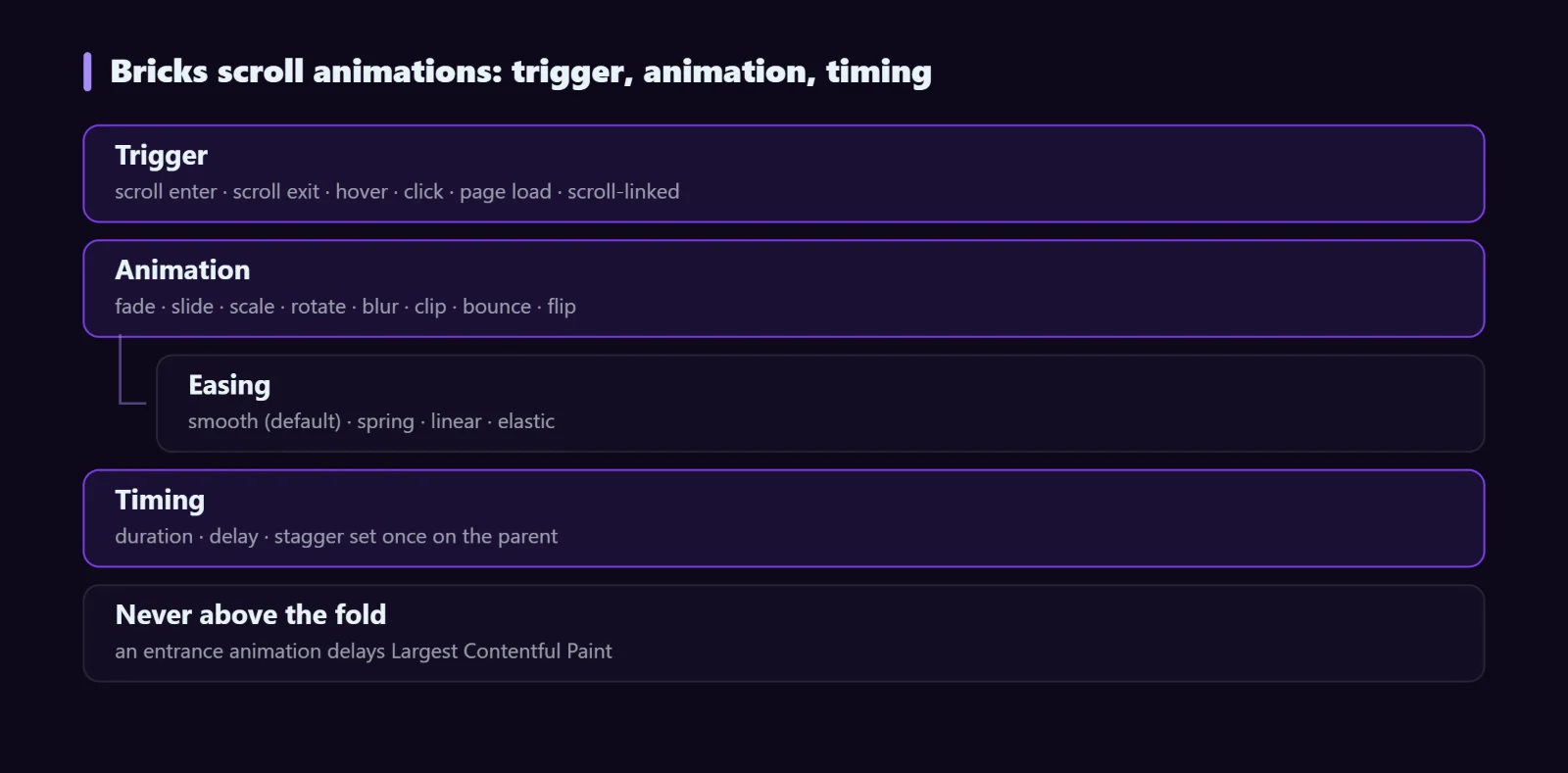
Bricks scroll animations: trigger, animation, timing
Every animation is three decisions:
- Trigger — what makes it fire
- Animation — what it does, and with what easing
- Timing — duration, delay, and stagger for children
All three live in the standard Bricks controls panel next to spacing and typography, so animating an element is the same kind of action as changing its padding.
Six triggers for Bricks scroll animations
| Trigger | Fires when | Typical use |
|---|---|---|
| Scroll Enter | Element enters the viewport, at an offset you set | Content reveals — the one you will use most |
| Scroll Exit | Element leaves the viewport | Fade-outs, sticky element transitions |
| Hover Enter / Leave | Pointer enters or leaves | Cards, buttons, image treatments |
| Click | Element is clicked; toggle mode reverses on second click | Expand and collapse |
| Page Load | Immediately after load, with optional delay | Hero entrance sequences |
| Scroll-linked Progress | Progress is tied to scroll position | Progress bars, counters, storytelling sections |
Scroll Enter has two settings that decide whether it feels right: the offset (how far into the viewport the element must be) and repeat (once, or every time it re-enters). Set repeat to once for content. Repeating reveals on every scroll-by is the fastest way to make a page feel cheap.
Animations and easing
Fade, slide (up, left, right), scale up and down, rotate, blur in, clip, bounce and flip, plus stagger for children. The easing matters more than the animation type:
- Smooth — the default, and correct for almost all content.
- Spring — overshoots then settles. Good on small interactive elements, bad on paragraphs.
- Linear — constant speed. For marquees, progress bars and loops, where acceleration would look wrong.
- Elastic — heavy overshoot. One element per page at most, if any.
Stagger: set it once on the parent
The feature that saves the most time. Apply the animation to a parent, set a stagger delay, and every direct child animates in sequence — no per-element configuration. It works on grid, flex and list layouts, and the direction can be reversed.
Keep the stagger short. 60–80ms between cards reads as one coordinated movement; 300ms reads as a queue, and by the fourth card the visitor has started scrolling anyway.
A worked example: section reveal
Three settings, a whole section that enters as one movement, and nothing to maintain. Set offset to around 20% so the animation starts as the section comes into view rather than after the visitor has already read the heading.
The part most guides skip: what it costs
Entrance animations have a specific failure mode that hurts both users and Core Web Vitals. An element that starts at opacity: 0 and animates in is, to the browser, invisible until its trigger fires. If that element is the largest thing on the first screen, your Largest Contentful Paint is measured when the animation finishes, not when the page renders.
Three rules that avoid the problem:
- Never animate the hero heading or hero image on entrance. Above-the-fold content should be visible at first paint. Animate what is below.
- Animate transform and opacity only. Those are composited by the GPU. Animating width, height, top or margin forces layout on every frame and also shifts the page, which is a Cumulative Layout Shift penalty.
- Make sure content is visible if the animation never runs. If an element is still at opacity 0 because its trigger never fired, that content is gone for that visitor — and for anything that matters, gone for search engines.
We hit exactly the first problem on this site: a hero line was the LCP element and an entrance animation was adding over two seconds of render delay to it. Removing the animation from that one element was the single biggest win in the page’s score. The performance guide covers the rest of that work.
Respecting reduced motion
Some visitors have motion sensitivity and set a system preference for reduced motion. Honouring it is a line of CSS and it is not optional for a site that animates a lot:
@media (prefers-reduced-motion: reduce) {
  * { animation-duration: .01ms !important;
      transition-duration: .01ms !important; }
}
Content still appears; it simply appears rather than moves. Parallax and scroll-linked effects are the ones that cause the most discomfort, so disable those first.
Troubleshooting
The animation never fires
Usually the element is already in the viewport at load, so the scroll-enter threshold is never crossed. Use Page Load for anything on the first screen.
Elements are permanently invisible
Same cause, worse symptom. An element inside a container with its own overflow or transform may never register as entering the viewport. Check whether an ancestor is clipping it.
Animation stutters on mobile
Something is animating a layout property, or too many elements animate at once. Reduce the count and keep to transform and opacity.
The page jumps as sections reveal
The animation changes the element’s size and therefore the page height. Animate transform instead of dimensions.
FAQ
Do I need to write any JavaScript?
No. Triggers, animation types, easing, duration, delay and stagger are all controls in the Bricks panel.
Can one element have several animations?
Yes — an entrance on scroll and a separate hover animation, for example. Combining two entrance animations on the same element is where things start to look unintentional.
Will animations hurt my PageSpeed score?
Only if they touch above-the-fold content or animate layout properties. Below-the-fold transform and opacity animations have essentially no effect on the score.
Next steps
Djia Animate is one of 15 modules included in every licence. The Animate feature page has a live playground where you can try each type and easing before you build, and Interactions extends the same system with click, hover, scroll and form triggers that act on other elements.