Bricks produces lean markup, so poor Bricks Builder speed is almost never Bricks’ fault. It is usually fonts, an animated hero, a stylesheet that blocks rendering, and images that are larger than the box they are shown in. Those four account for most of the gap between a score in the eighties and a score in the high nineties.
This is what we changed on this site, in the order that mattered, with the numbers. The home page went from 91 to 99 on mobile, and the detail underneath matters more than the score: Largest Contentful Paint 2.9s to 1.9s, Speed Index 4.1s to 1.5s, First Contentful Paint 1.8s to 1.5s, with Total Blocking Time at 0 and Cumulative Layout Shift at 0. Desktop is 100.
Measure Bricks Builder speed the right way
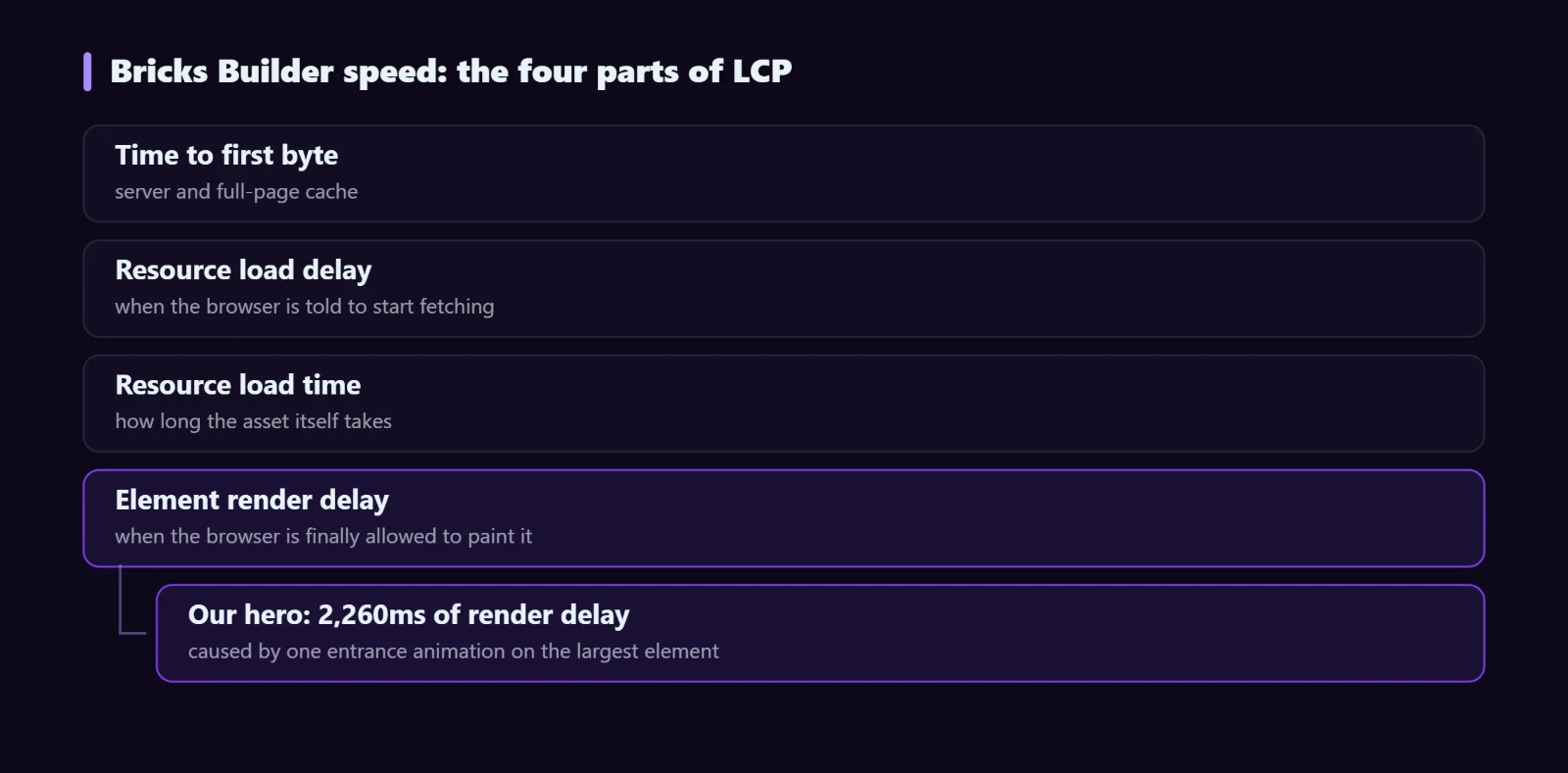
The score is a summary. The useful number is the LCP breakdown, which splits Largest Contentful Paint into four parts: time to first byte, resource load delay, resource load time, and element render delay. That last one is where badly-tuned Bricks sites lose their time, and no amount of image compression fixes it.
Our hero had 2,260ms of render delay on a single line of text. The text had arrived; the browser was simply not allowed to paint it yet.
1. Do not animate above-the-fold content
This was the single biggest win, and it costs nothing.
An entrance animation starts its element at opacity: 0. If that element is the largest thing on the first screen — a hero heading usually is — the browser does not consider it painted until the animation runs. Your LCP becomes animation duration plus whatever delay precedes it.
Remove entrance animations from anything visible without scrolling. Animate below the fold instead, where the visitor cannot see the start state anyway and the effect still reads. The animation guide covers how to do this deliberately rather than by trial and error.
2. Self-host fonts and preload only what the first screen uses
Google Fonts means a DNS lookup, a connection and a round trip before any text can render in the right typeface. Self-hosting removes all of it.
- Download the woff2 files and serve them from your own domain.
- Preload the weights the first screen actually uses — and only those. Preloading eight weights to save one is a net loss, because each preload competes with the others for bandwidth.
- Set
font-display: swapso text is readable in a fallback immediately. - Subset to the characters you need if you only ship one language.
Audit which weights are genuinely used. We were preloading weights that appeared nowhere on the page, and loading weights that were used but not preloaded — both cost time.
3. Inline the critical CSS, load the rest asynchronously
A stylesheet in the head blocks rendering until it has downloaded and parsed. On a Bricks site the full stylesheet covers every element type you have ever used; a given page needs a fraction of it.
The pattern: inline the rules the page actually uses in a style block, and load the complete stylesheet without blocking, using a stylesheet link with media="print" that switches to all once it has loaded, with a noscript fallback for visitors without JavaScript.
Generate the critical set per page rather than site-wide — a shop archive and a documentation page share very little. This is the change that moved our Speed Index from 4.1s to 1.5s, because Speed Index measures how quickly the page looks finished, and a render-blocking stylesheet delays everything equally.
4. Serve images at the size they are displayed
The most common waste on any site, Bricks or not. A 1600px image in a 485px box costs about ten times the bytes it needs to.
- Generate real responsive variants and let
srcsetplus a correctsizesattribute choose.sizesis the part people get wrong; if it does not describe the real layout, the browser picks the wrong file. - WebP or AVIF over JPEG and PNG.
- Always set width and height so the browser reserves the space. This is what keeps Cumulative Layout Shift at 0.
- The LCP image is the exception to lazy loading. Give it
fetchpriority="high"and removeloading="lazy". Lazy-loading the hero image is a self-inflicted wound: the browser deliberately delays the single most important asset on the page.
5. Skip rendering work for off-screen sections
A long page makes the browser lay out and paint sections nobody has scrolled to yet. content-visibility: auto tells it to skip that work until the section is near the viewport.
.below-fold-section {
  content-visibility: auto;
  contain-intrinsic-size: auto 900px;
}
Two things to get right, both of which we got wrong first time:
contain-intrinsic-sizeapplies to the content box. If the section has 80px of vertical padding, subtract it. We used total heights and every section rendered 160px too tall until the real height was measured, which moved the scrollbar and broke anchor links.- Only use it where content stays inside its own box. A section with a sticky child, or something that deliberately overflows its bounds, will be clipped. Check each candidate before enabling it.
Never apply it to above-the-fold content. That section needs to render immediately.
6. Load less in the first place
The fastest asset is the one you never request. Worth auditing:
- Plugin assets on pages that do not use them. A slider plugin enqueuing its CSS and JS on every page including your blog posts is pure waste.
- Modules you do not use. In Djia Bricks, disabled modules register nothing and load no code, so a site that only needs forms never ships the WooCommerce or filter code. Check your other plugins offer the same.
- Third-party scripts. One chat widget or analytics suite can cost more than everything else combined. Load them after interaction where you can.
- WooCommerce assets on non-shop pages. WooCommerce loads its cart scripts site-wide by default.
7. Cache, but exclude what must not be cached
Full-page caching turns a dynamic page into a static file and is the largest single improvement to time to first byte. Two rules:
- Exclude cart, checkout and account pages at every layer — plugin, server and CDN. A cached checkout serves one customer’s session to another.
- Be careful with aggressive JavaScript optimisation. Deferring and combining scripts breaks AJAX filters, cart fragments and checkout more often than it helps. If something stops working after you enable an optimiser, that is the first thing to switch off.
What we would do first, on any site
| Step | Effort | Typical gain |
|---|---|---|
| Remove above-the-fold entrance animations | Minutes | Large — often seconds of LCP |
| fetchpriority on the LCP image, lazy-load off | Minutes | Large |
| Width and height on every image | Minutes | CLS to 0 |
| Self-host and preload only used font weights | An hour | Moderate |
| Resize and convert images | An hour | Moderate to large |
| Inline critical CSS, async the rest | A day | Large on Speed Index |
| content-visibility below the fold | A day, with care | Moderate on long pages |
The top three take under an hour between them and are where most of the score lives. The bottom two are real engineering and should come after you have done everything above.
FAQ
Is a 100 score worth chasing?
Up to a point. Lab scores are a proxy; what Google uses for ranking is field data from real visitors, where the Core Web Vitals thresholds are 2.5s for LCP, 0.1 for CLS and 200ms for Interaction to Next Paint. Comfortably inside those matters. The difference between 97 and 100 usually does not.
Does Bricks produce faster sites than other builders?
Bricks outputs clean markup without the wrapper div pile that some builders generate, which is a real head start. It does not protect you from an unoptimised image or a render-blocking third-party script.
Where do addons fit in?
The question to ask of any addon is whether it loads code for features you are not using. A modular design, where disabled modules register nothing, means the cost scales with what you actually use rather than with what the plugin can do.
Next steps
Djia Bricks is built around that modular principle — 15 modules, each independent, each loading nothing when switched off. See the module list, or read the animation guide for the above-the-fold rules that cost us two seconds before we found them.