Dynamic data is what turns a Bricks layout into a template. Instead of typing a title into a heading, you put Bricks Builder Dynamic Data: Tags, Custom Fields and Filters there, and the same design renders correctly for every post, product, user or term it is applied to. It is the mechanism behind archives, single templates, query loops and personalised content.
This is a practical reference: the syntax, where tags resolve, how custom field plugins fit in, the filters that save you from writing PHP, and the mistakes that produce an empty space where a value should be.
Bricks dynamic data syntax
Bricks dynamic data uses curly braces, a provider, a colon and a field. The Bricks dynamic data reference lists the native tags:
{post:title}              post data
{user:display_name}       the current user
{acf:product_price}       an ACF field
{woo:stock}               WooCommerce data
{djia:filter_count}       active filter result count
Tags go anywhere a Bricks text control accepts input: headings, text, link URLs, image sources, button labels, even inside attribute fields. The Dynamic Data module adds 80+ tags across post, user, ACF, Meta Box, Pods, WooCommerce, forms, site and Djia-specific data.
Where a tag resolves
This is the concept that causes the most confusion, and it is simple once stated plainly: a tag resolves against the nearest enclosing context.
| Where the tag sits | What it means |
|---|---|
| On a normal page | The current page |
| Inside a query loop | The current loop item |
| In a single template | The post being viewed |
| In an archive template, outside a loop | The archive itself, not any post |
| Inside a repeater loop | The current repeater row |
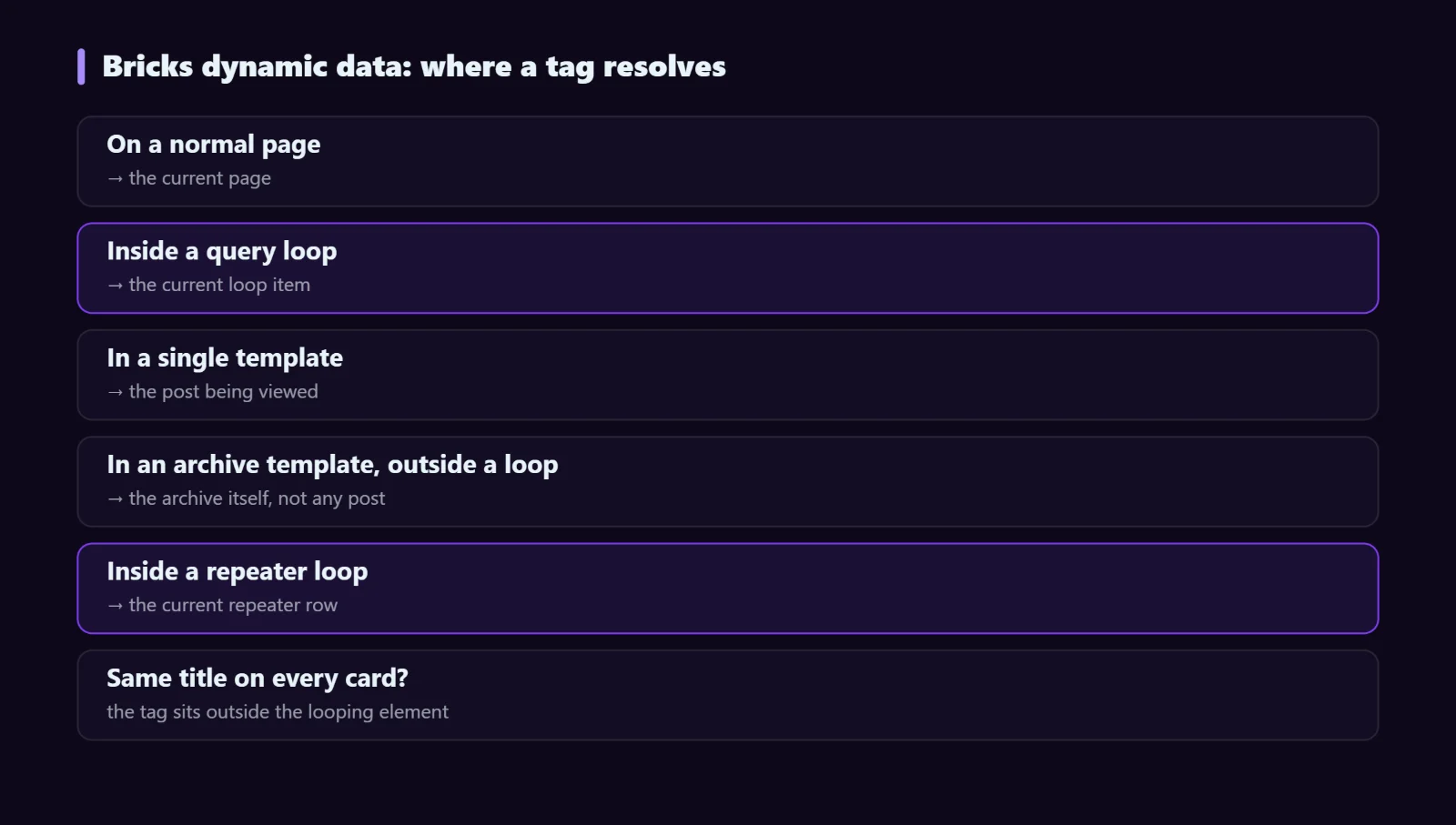
So a card showing the same title for every item in a grid is not a broken tag — it is a tag that sits outside the looping element. The query loop guide covers how to tell which element actually carries the loop.
Custom fields: ACF, Meta Box and Pods
All three are supported as providers, and each gets its own tag group so you are not guessing which plugin a field came from. The field name in the tag is the field’s name, not its label — “Product price” with the name product_price is {acf:product_price}.
Field types behave differently and this is worth knowing before you debug:
- Text, number, textarea — output directly.
- Image — depends on the field’s return format. A field returning an array needs the sub-value (the URL) rather than the array, or you get the word “Array” on your page.
- Select and radio — may return the value or the label, again depending on return format.
- Relationship and post object — return post objects, not strings. These belong in a query loop, not a text field.
- Repeater — not a value at all; loop over it.
- True/false — returns 1 or empty, which is why it works better as a condition than as output.
Filters: formatting without PHP
Raw values rarely look the way you want. Bricks supports filters appended to a tag, and this is where most of the practical value sits. Two from this site’s own templates:
Tutorials   category names without links
October 3, 2026                   formatted by the site date format
The pattern generalises: date formatting, truncating long text to a word count, stripping HTML, and producing a plain value where the default would be a linked one. Reach for a filter before you reach for a code block — most “I need PHP for this” moments turn out to be a filter.
Useful Bricks dynamic data patterns
Dynamic links
Put https://djia-bricks.com/bricks-dynamic-data/ in a link field inside a loop and every card links to its own item. For an external URL stored in a custom field, put the field tag in the link instead — useful for directory and portfolio listings.
Personalised copy
Hello, {user:display_name} in a dashboard header. Pair it with a login-state condition so logged-out visitors do not see “Hello, ” followed by nothing.
Live result counts
Showing {djia:filter_count} results above a filtered listing. The count updates with the filter state rather than being baked in at page load. See the AJAX filter guide for the surrounding setup.
Stock and price messaging
{woo:stock} units left next to the add-to-cart button, with a condition that only shows it below a threshold. Specific numbers convert better than “In stock”.
Meta titles and descriptions
Dynamic data is not only for visible content. Building SEO titles from fields keeps a large catalogue consistent without writing each one — though for pages that matter commercially, a hand-written title still beats a generated one.
Troubleshooting
The tag outputs nothing
In order of likelihood: the field is empty on the previewed post; the field name is wrong (label used instead of name); the field group is not assigned to this post type; or the tag is outside the loop it should be inside.
The page shows “Array”
The field returns an array — typically an image or a multi-select. Change the field’s return format, or target the specific sub-value.
The tag renders as literal text
Braces, provider or field name are mistyped, or the tag is in a control that does not accept dynamic data. Pick the tag from the dynamic data picker rather than typing it.
It works in the builder but not on the live page
The builder previews one specific post. The live page may be a post where the field is empty, or the template may apply to post types that do not have that field at all. Preview against several posts, including the awkward ones.
FAQ
Can I use a tag inside a condition?
Conditions reference fields directly rather than through tags — pick the field in the rule and compare it to a value. The conditions guide covers the rule types.
Do dynamic tags slow pages down?
Post and user tags read data already loaded for the page and cost effectively nothing. Custom field tags may add a query each, which matters when a loop of fifty cards reads six fields apiece.
Can I write my own tag?
Yes — Bricks exposes filters for registering custom dynamic tags, which is the clean way to expose a value that comes from your own code rather than a field.
Next steps
Dynamic Data ships alongside Conditions and Interactions in Djia Bricks. The feature page has the full tag browser by provider, and the documentation covers configuration. If you are building listings, pair this with the query loop guide.